
Get TLDRResearch
[ 010 / 015 ]
Get TLDR — Turn any page into a clear summary.
AI summaries in context: read the essentials of any article or video in a focused in-page sidebar. Choose a summary style or write your own, summarize selected text from the right-click menu, and keep every summary in a searchable local library.
- Version
- 1.0.22
- Rating
- 5.0 (3)
- Category
- Research
- AI
- Cloud
- Storage
- Cloud AI
Feel it before you add it
What Get TLDR actually does
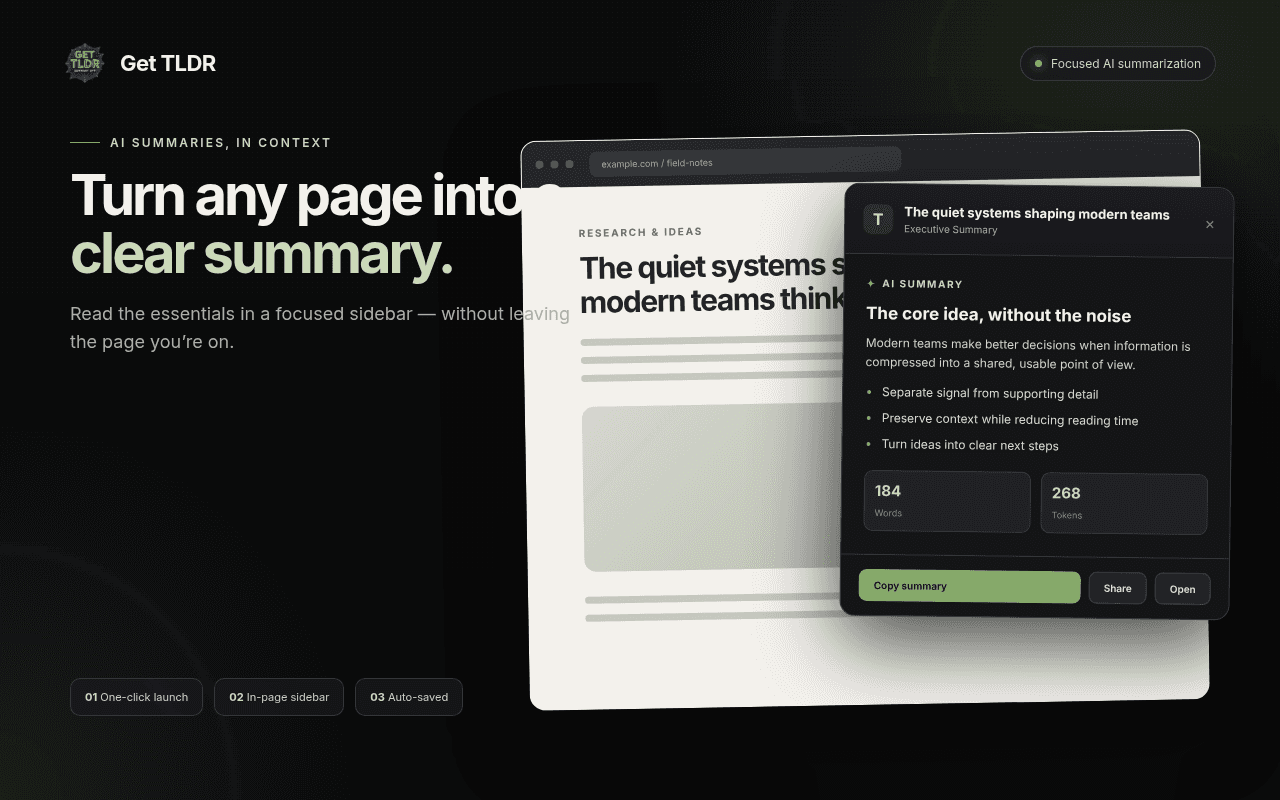
Read the page without reading the page
Open Get TLDR on any article and a focused sidebar distills it to the core idea, key points, and next steps — right beside the content, so you never leave the tab you're on.
- In-page sidebar summary with the essentials up top
- Word and token counts on every result
- Copy, share, or open the source in one click
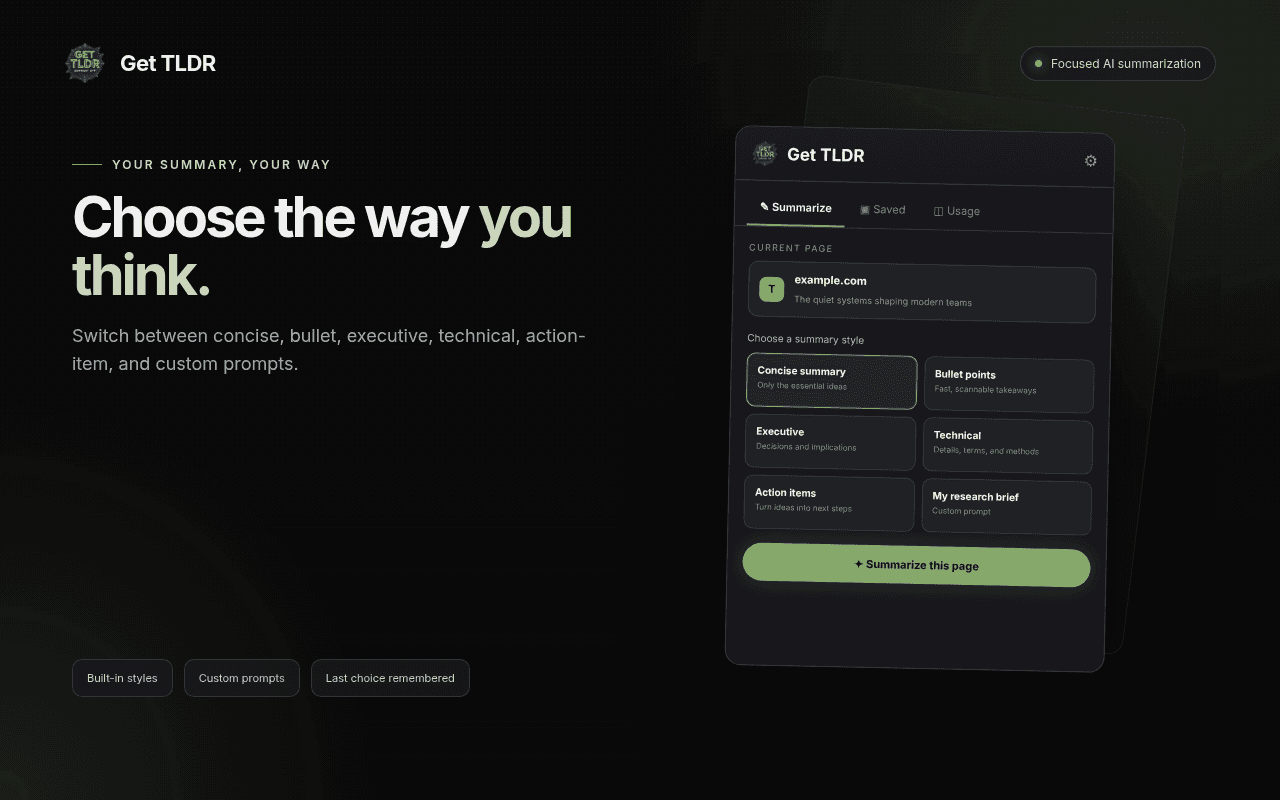
Choose the way you think
Switch between built-in styles — concise, bullet points, executive, technical, action items — or save a custom prompt that frames every summary the way your work needs it.
- Five built-in summary styles
- Custom prompts you write once and reuse
- Your last choice is remembered next time
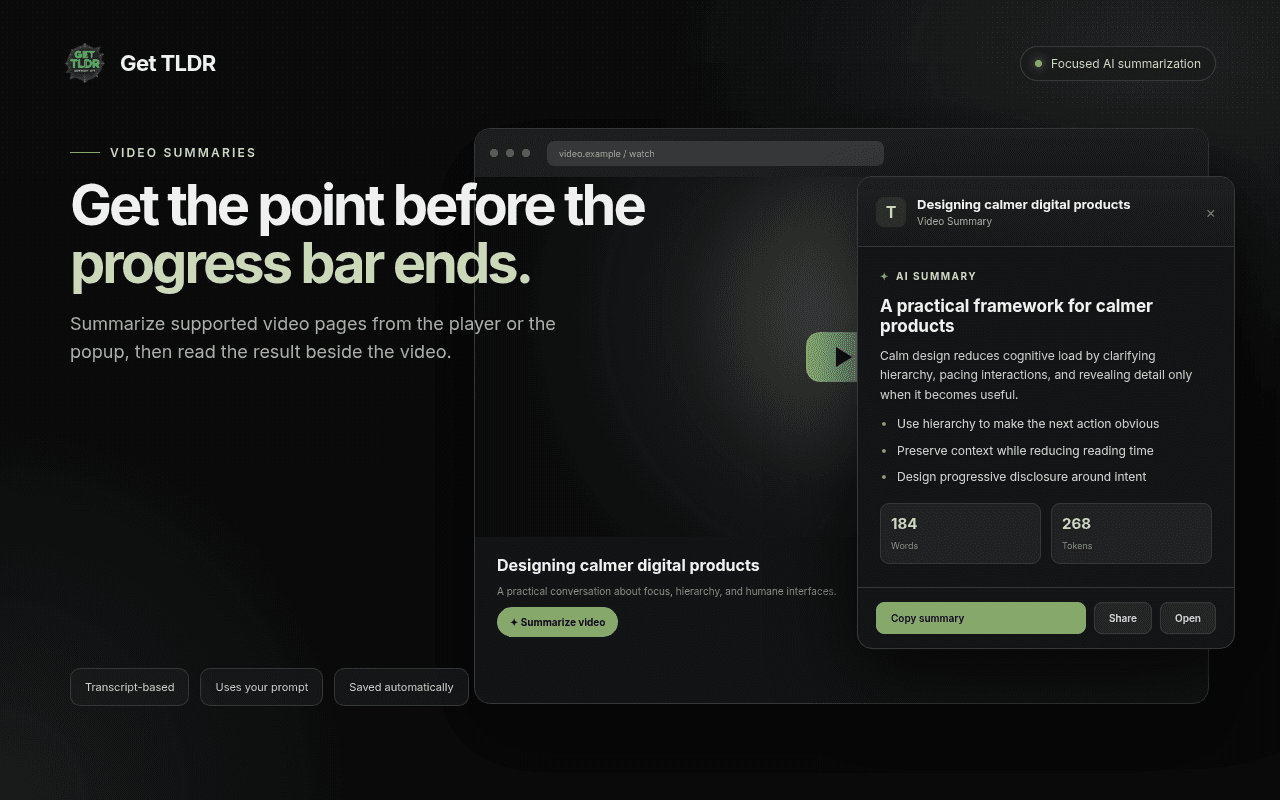
Get the point before the progress bar ends
Summarize supported video pages straight from the player or the popup, then read a transcript-grounded brief beside the video instead of scrubbing through it.
- Summarize from the player or the popup
- Transcript-based, using your chosen prompt
- Saved automatically like any other summary
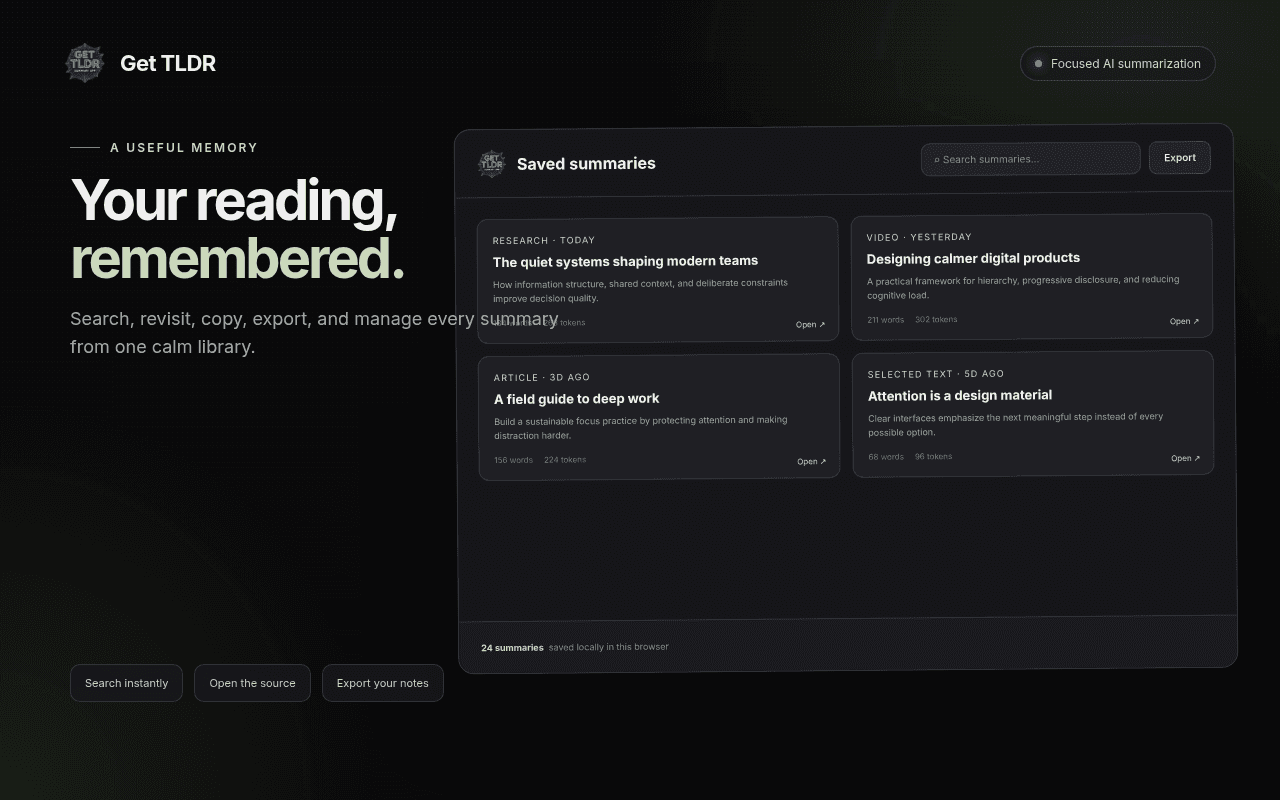
Your reading, remembered
Every summary lands in a saved library you can search, revisit, copy, and export. Sources, styles, and word counts stay attached so you can find that one summary from last week.
- Search across every saved summary
- Open the original source anytime
- Export your notes when you need them elsewhere
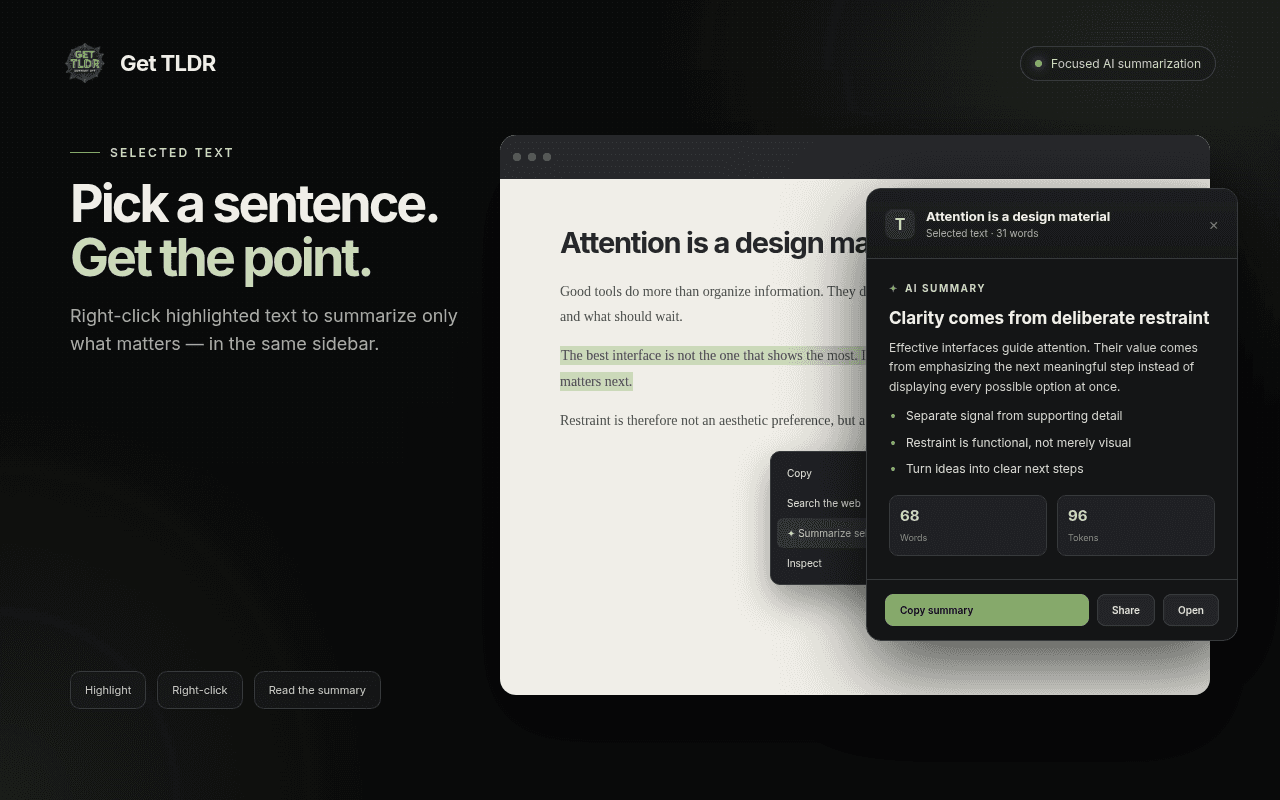
Pick a sentence, get the point
Highlight anything on a page, right-click, and summarize just that selection — the result opens in the same sidebar so you can pull the meaning out of one passage without summarizing the whole page.
- Summarize selected text from the context menu
- Great for long threads, docs, and comment sections
- Same sidebar, same styles, same saved library
The details that make Get TLDR feel like Get TLDR
In-page sidebar
Summaries beside the page you're reading.
Summary styles
Concise, bullets, executive, technical, action items.
Custom prompts
Frame every summary the way you work.
Video summaries
Transcript-grounded briefs for supported videos.
Right-click selection
Summarize just the text you highlight.
Saved library
Search, revisit, and export past summaries.
Get TLDR, up close
Not a policy summary. The actual behaviour.
Your API key is stored with Chrome's storage.local on your machine.
Page content is extracted locally in your browser, then summarized over HTTPS.
Only summaries and usage stats are kept locally — no browsing history is collected.
Asked, answered
Get TLDR extracts the page or selection in your browser and generates the summary through the Get TLDR service. Add your API key once and start summarizing.